Is an old iPhone safe for a seed phrase? What records show
OneKey's founder warns against keeping seed phrases on an iPhone 11 or older. Apple's update list and the public exploit code show where that holds.
In brief
- On October 31, OneKey founder Yishi Wang warned that updates cannot fix the chip flaws that put seed phrases at risk on older iPhones.
- An attacker needs physical access to the phone. The sources reviewed reported no theft tied to these flaws.

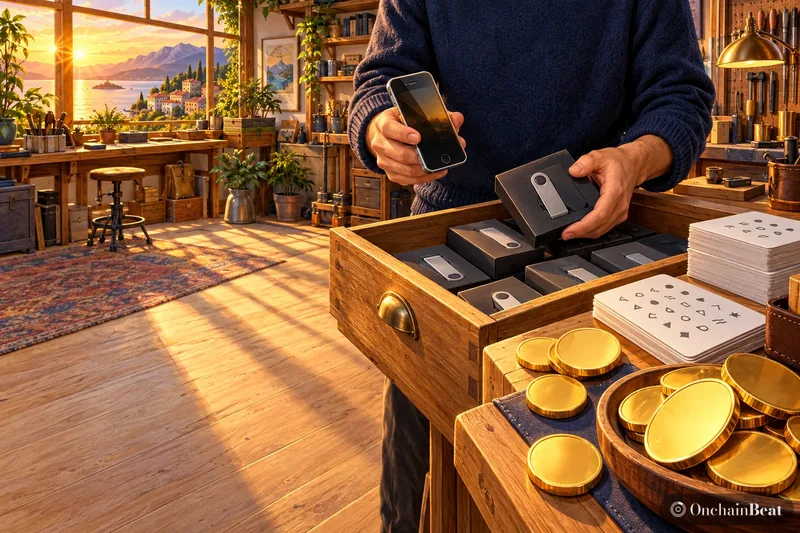
An iPhone 11 or older is a weak place to keep a seed phrase, OneKey founder Yishi Wang wrote on X on October 31, because the flaw sits in the chip and no update removes it. Apple's own records add a limit for owners of the oldest of those phones: the iPhone XS, XS Max and XR cannot install the iOS versions Wang recommends. OneKey sells hardware wallets, so Wang has a commercial interest in this subject.
Which phones can still update
Wang tells readers to update a daily iPhone to iOS 27.2, or at least iOS 26.7.2. Apple's security releases page lists both for the iPhone 11 and later. On November 2 the newest entry for the XS, XS Max and XR was iOS 18.7.11, dated October 26. Apple has since added iOS 18.7.12 for those models, dated November 9.
None of those updates touches the BootROM, the startup code Wang describes as burned into the chip at the factory. By Wang's account, checkm8 covers the iPhone 4S through the X, and usbliter8 covers the XS, XR, the 11 series and the second-generation SE.
What the public code says
The usbliter8 code is open to read. One copy on GitHub, created on June 18, calls itself a "Tethered bootrom exploit for Apple A12, S4/S5 & A13 SoCs" and needs a small Raspberry Pi based board. A GitHub search for the name returned 66 repositories on November 2. The write-up that copy points to, on the Paradigm Shift site, read "currently unavailable" when we opened it.
Physical access is the barrier, and airplane mode does not change that. A second point supports Wang's caution about overstating the risk. One project built on the exploit boots a patched iOS 27 on an iPhone 11, yet its list of what does not work includes the Secure Enclave and the passcode. That is one project's limit, not proof that no one can pass them. Wang adds that forensic tools use bugs of this kind to brute-force passcodes on some older models, and that a short wallet password can be guessed offline once the encrypted file is copied.
What Apple's notes show about the newer phones
Calif published four demo videos from the Hexacon conference in Paris on October 16 and wrote that "Everything will be released in due time." Apple's iOS 27.2 notes listed 163 CVE numbers when we checked on November 2. After later additions they list 172 as of November 21, and seven entries credit Calif researchers, some alongside other reporters. One more acknowledgement names a Calif researcher. The notes do not say which fixes relate to the demos. Wang writes that Calif says most of the bugs are fixed, and that a video from Ikotas Labs claiming a 27.2 jailbreak shows too little to confirm it. Those two points rest on Wang's post.
Wang's post names no theft tied to these BootROM flaws, and we found none in the sources above.
OnchainBeat's reading, offered as analysis: the chip flaw is on record, and the danger is specific. It needs a phone in someone else's hands, then a weak passcode or wallet password. Wang's remedy is a new seed phrase generated somewhere trusted, since a new address under the old seed does not help.
For related device coverage, see our Security section.
Correction (Nov 2, 2026): Was: The story included a S$3.5 million claim about Singapore. Now: No primary source was found and the claim was removed. The founder's commercial interest is now stated. Corrections log
How we verified Checked against the document (Apple help centre (100100)), the document (Github on GitHub (usbliter8)) and the document (Github on GitHub (usbliter8) (2)).
Sources
Checked by OnchainBeat · 6 links, 5 primary documents- Post on Xohyishi post on Xx.com
- DocumentApple help centre (100100)support.apple.com
- DocumentGithub on GitHub (usbliter8)github.com
- DocumentGithub on GitHub (usbliter8) (2)api.github.com
- DocumentGithub on GitHub (Liter8)github.com
- DocumentCalif blog: iPhoneblog.calif.io